 VuFiyat
Raised, then “discounted”
If the price went clearly above its usual level in the last two weeks and the “discount” only brings it back, you will see a warning.
VuFiyat shows a year of price history in the corner of the product page. It tells you whether the crossed-out price was ever charged and lets you know when the price reaches the one you are waiting for.
Free, no ads. While the stores review it, the extension is installed manually from this page. Version 0.1.0
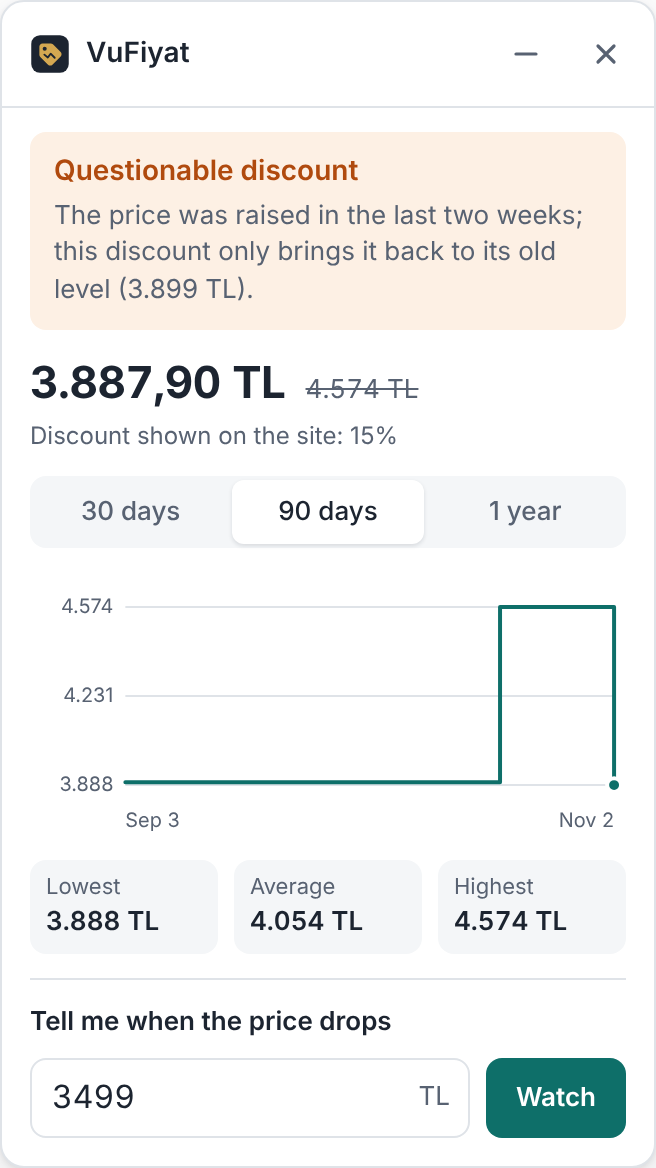
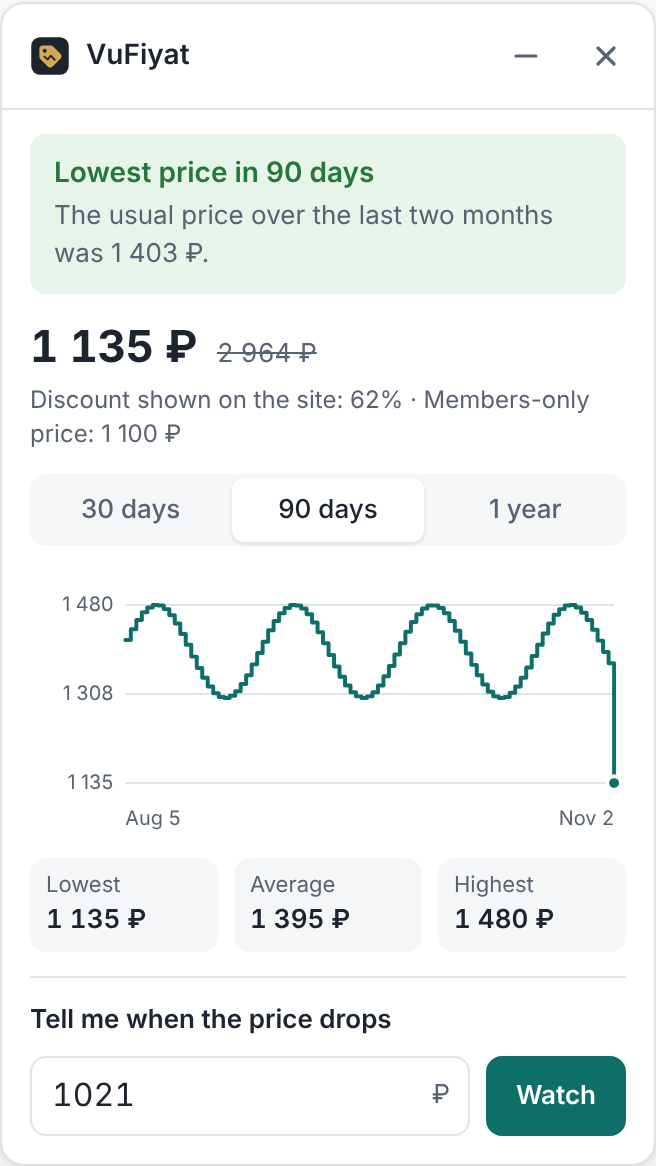
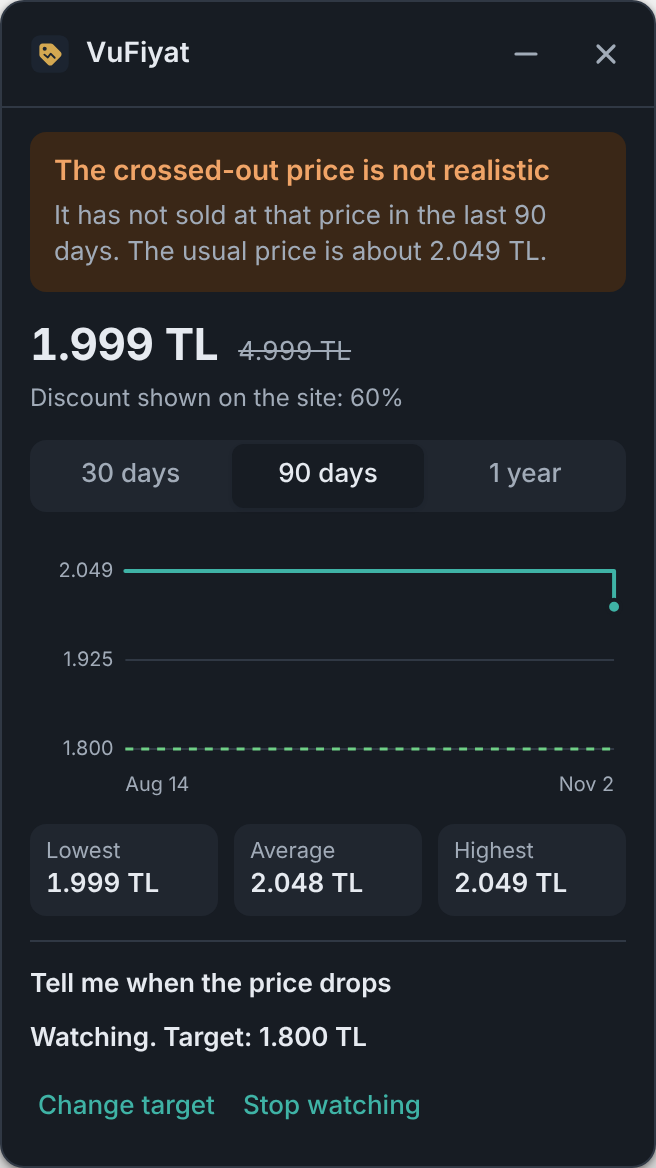
We look at the prices the product actually sold for, not at the percentage on the site. Two cases get a special warning:
If the price went clearly above its usual level in the last two weeks and the “discount” only brings it back, you will see a warning.
If the crossed-out price is clearly above the highest price charged in the last 90 days, we say it is not realistic.
A verdict needs at least a few days of history. For products that are new to us the panel says so.
The large marketplaces of Turkey and Russia. Prices are kept in the currency the site shows: lira, roubles, or som for shoppers in Kyrgyzstan.
No account, email or sign-up. With shared history on, the site name, product number, name, address and price of the product page you open are sent to the server; they are not linked to you. You can turn sharing off with one click in the extension window.
chrome://extensions (edge://extensions in Edge).about:debugging#/runtime/this-firefox.